
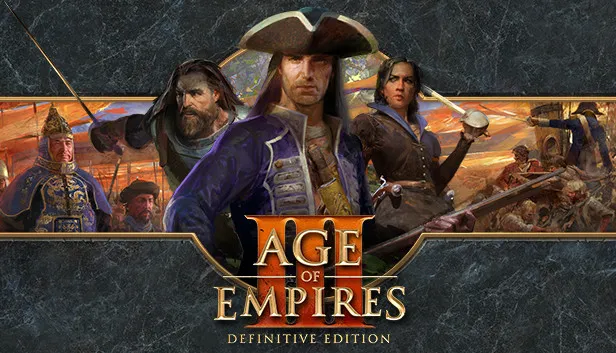
Age of Empires 3 PC Download Complete Collection On Windows
When it comes to real-time strategy games, few titles stand as tall as Age of Empires 3 PC, a masterpiece that blends history, strategy, and fast-paced battles into one unforgettable package. Originally developed by Ensemble Studios and published by Microsoft Game Studios, the game continues the legendary franchise by taking players into the colonial era, where empires clashed across continents for power and glory. Its blend of economic management, military tactics, and exploration makes it a standout RTS experience.
Since its release in 2005, Age of Empires 3 has gained a loyal following, further strengthened with the launch of the Definitive Edition. This enhanced version introduced modern graphics, refined gameplay mechanics, new civilizations, and better online multiplayer support. Fans praised its immersive campaigns, dynamic Home City system, and the perfect balance between accessibility for newcomers and depth for veteran strategists. Even today, the game remains highly relevant, often ranking among the most beloved strategy titles in the genre.
For PC gamers, the experience is even more rewarding. The Age of Empires 3 PC version offers superior controls through mouse and keyboard, higher-resolution visuals, mod support, and smoother performance compared to other platforms. With thriving online communities, constant updates, and a wide variety of mods, playing Age of Empires 3 on PC ensures you’re experiencing the game at its very best. Whether you’re reliving nostalgic campaigns or battling friends in multiplayer skirmishes, PC is where this RTS shines brightest.
What is Age of Empires 3 PC?
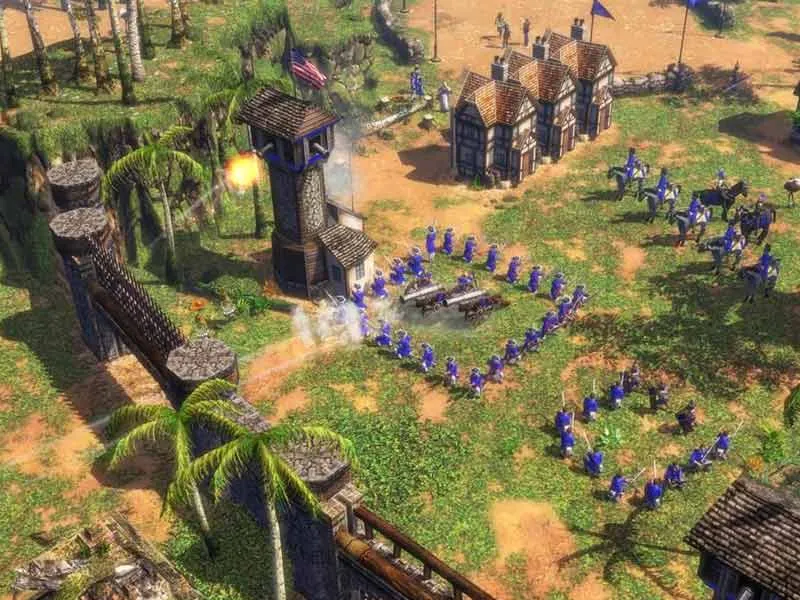
The Age of Empires 3 PC version is a real-time strategy game that transports players to the Age of Discovery and colonization, spanning the 16th to 19th centuries. Unlike earlier titles in the franchise that focused on ancient and medieval eras, this game emphasizes global exploration, trade, and empire expansion. Players choose from European powers such as Britain, France, Spain, or Portugal, as well as Native and Asian civilizations introduced in expansions. Each faction comes with unique bonuses, units, and playstyles, making every match feel distinct and strategic.
Gameplay revolves around building settlements, managing resources like wood, food, and coin, and training armies to conquer or defend territories. A standout feature is the Home City mechanic, which acts as a central hub that rewards experience points with shipments of units, resources, or upgrades. This system introduces a strategic rhythm to matches, allowing players to adapt to different scenarios. The game also offers campaign missions that weave historical storytelling with action-packed battles, as well as skirmish and online multiplayer modes for endless replayability. Difficulty levels are carefully designed to accommodate both beginners who want a guided introduction and seasoned RTS veterans seeking complex challenges.
What truly elevates Age of Empires 3 on PC today is the Definitive Edition, which modernizes the classic with 4K graphics, remastered audio, new civilizations, and quality-of-life improvements. The PC version thrives thanks to its vibrant modding community, which continuously adds custom maps, balance changes, and creative scenarios to keep gameplay fresh. Combined with frequent updates, better AI, and stable multiplayer servers, this makes Age of Empires 3 on PC the most complete way to experience the game. Whether you’re building colonies, engaging in naval battles, or outsmarting rivals in competitive matches, Age of Empires 3 PC delivers a perfect balance of history, strategy, and fun.
Why Play Age of Empires 3 on PC?
Playing Age of Empires 3 PC delivers a range of advantages that consoles or mobile devices can’t match. For starters, PC hardware allows higher graphics settings, giving players stunning landscapes, detailed units, and smooth performance. A larger screen and customizable resolutions enhance battlefield visibility, making strategy execution much easier.
Additionally, PC gaming avoids issues like battery drain and provides smoother input with mouse and keyboard, ensuring precise control during intense battles. Mods and community patches further enrich gameplay, allowing players to tailor their experience. For serious strategy fans, the PC version remains the gold standard.
How to Play Age of Empires 3 on PC
Learning to play Age of Empires 3 PC is both exciting and rewarding. Players control their empire with classic RTS mechanics using the mouse for building structures, training units, and commanding armies, while hotkeys accelerate key actions. Timing is crucial; balancing early economic development with military readiness often determines victory.
For beginners, starting with campaign missions is ideal, as they gradually introduce mechanics. Skirmish mode then allows experimentation with different civilizations and strategies. Mod support enhances variety, offering custom maps, civilizations, and unique gameplay tweaks. With practice, players can master advanced tactics like rush strategies, naval dominance, and late-game economy management.

Pro Tips and Tricks
To master Age of Empires 3 PC, consider these pro strategies:
By blending practice with tactical awareness, players can dominate both single-player and multiplayer matches.
How to Download and Install Age of Empires 3 on PC
Setting up Age of Empires 3 PC is quick and hassle-free. Follow these steps to get started:
- Scroll down and click the safe download button provided on this page.
- Once the file finishes downloading, locate the compressed ZIP folder.
- Right-click the file and extract it using WinRAR or 7-Zip.
- Open the extracted folder and double-click
Age of Empires 3 PC.exe. - The game will launch instantly no installation wizard required.
System Requirements
| Specification | Minimum | Recommended |
|---|---|---|
| OS | Windows 10 (64-bit) | Windows 11 (64-bit) |
| Processor | Intel i3-2105 / AMD Phenom II X4 | Intel i5-3300 / AMD FX-8350 |
| Memory | 4 GB RAM | 8 GB RAM |
| Graphics | Intel HD 4000 / NVIDIA GT 430 | NVIDIA GTX 760 / AMD Radeon R9 280 |
| DirectX | Version 11 | Version 11 |
| Storage | 42 GB | 42 GB |
Best Alternatives
If you’ve mastered Age of Empires 3 PC and are looking for fresh strategy challenges, there are plenty of great alternatives that capture similar depth, tactics, and excitement. Each of these games offers unique mechanics that appeal to fans of empire-building and real-time strategy.
- Age of Empires II: Definitive Edition
Perhaps the most beloved in the franchise, AoE II focuses on the medieval era with over 35 civilizations to choose from. Its balance between economy, military, and technology trees makes it a must-play for RTS purists, and the Definitive Edition adds modern graphics, campaigns, and online features. - Rise of Nations
A hybrid of turn-based and real-time strategy, Rise of Nations allows players to advance from ancient history to the modern era in a single game. It’s known for its seamless pacing, border-expansion system, and massive battles that span entire continents. - Total War: Shogun 2
Blending grand campaign strategy with tactical real-time combat, Shogun 2 transports players to feudal Japan. You’ll manage provinces, diplomacy, and armies on the campaign map, while commanding units in cinematic real-time battles that emphasize terrain, morale, and tactics. - Civilization VI
Although turn-based rather than real-time, Civilization VI scratches the same empire-building itch. You guide a civilization from the stone age into the future, balancing science, culture, diplomacy, and warfare. Its depth and replayability make it a perfect alternative for strategy fans. - StarCraft II
For those who crave faster, more competitive gameplay, StarCraft II offers a sci-fi spin on the RTS formula. With three asymmetric factions, razor-sharp mechanics, and an active esports scene, it remains one of the most intense and skill-based strategy games ever made.
FAQs
Conclusion
Age of Empires 3 PC is a timeless real-time strategy game that blends history, strategy, and action into an unforgettable experience. With its immersive campaigns, powerful civilizations, and thriving multiplayer, it continues to attract both newcomers and veterans. The Definitive Edition further enhances graphics, gameplay, and balance, making PC the ultimate way to enjoy this classic. Whether you love building empires, managing resources, or leading armies to victory, Age of Empires 3 delivers it all download now and begin your conquest today!


